Role
Product Strategy, UX/UI Design and Development
Outcome
A calmer system for care, routines, and memories
Overview
Litlo began as a gift for my sister as she prepared to become a mother. It brings daily care records, routines, and AI support into one calm experience. What started as a personal side project grew into a baby care app on the App Store. Building it with AI was a new experience for me, and I wanted to share the process in a little more detail than my other projects.
Litlo began as a gift for my sister as she prepared to become a mother. It brings daily care records, routines, and AI support into one calm experience. What started as a personal side project grew into a baby care app on the App Store. Building it with AI was a new experience for me, and I wanted to share the process in a little more detail than my other projects.
Litlo began as a gift for my sister as she prepared to become a mother. It brings daily care records, routines, and AI support into one calm experience. What started as a personal side project grew into a baby care app on the App Store. Building it with AI was a new experience for me, and I wanted to share the process in a little more detail than my other projects.
Services
Product Strategy
UX/UI Design
Prototyping
AI Assisted Development
Litlo combines Little and Log, a name for everyday care and memories. I wanted the identity to feel as personal as the moments parents record.
Litlo combines Little and Log, a name for everyday care and memories. I wanted the identity to feel as personal as the moments parents record.
Litlo combines Little and Log, a name for everyday care and memories. I wanted the identity to feel as personal as the moments parents record.
I used Google Stitch to explore wireframes and map daily care tasks into connected flows. This helped me shape the product before refining the interface.
I used Google Stitch to explore wireframes and map daily care tasks into connected flows. This helped me shape the product before refining the interface.
I used Google Stitch to explore wireframes and map daily care tasks into connected flows. This helped me shape the product before refining the interface.

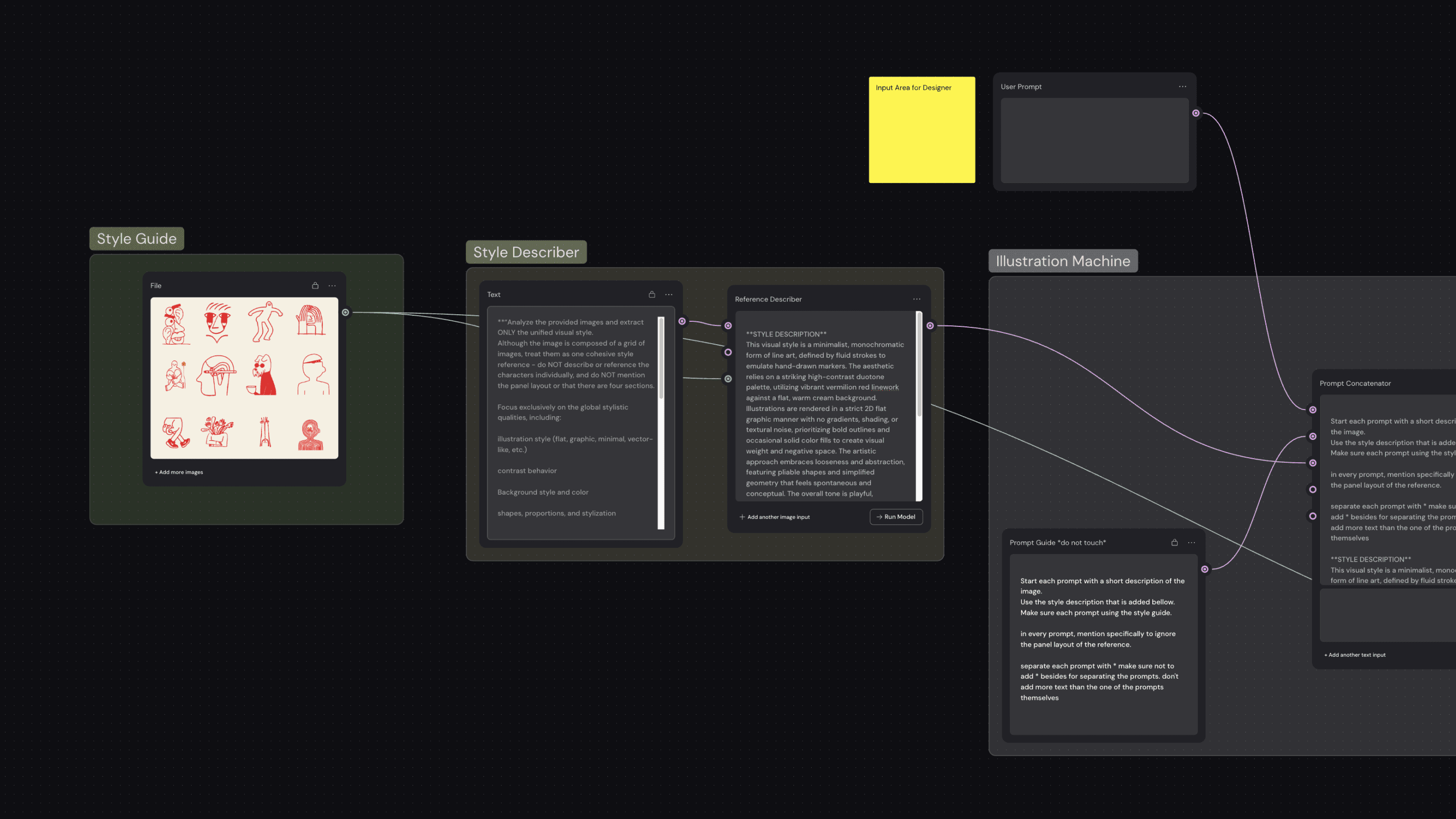
I built a workflow in Weavy to create consistent 3D icons. Each gives a care action a recognizable form and adds warmth to the interface.
I built a workflow in Weavy to create consistent 3D icons. Each gives a care action a recognizable form and adds warmth to the interface.
I built a workflow in Weavy to create consistent 3D icons. Each gives a care action a recognizable form and adds warmth to the interface.

In Figma, I brought colors, typography, components, and icons into one consistent interface. This became the foundation for the working prototype.
In Figma, I brought colors, typography, components, and icons into one consistent interface. This became the foundation for the working prototype.
In Figma, I brought colors, typography, components, and icons into one consistent interface. This became the foundation for the working prototype.

I used Google Antigravity to turn the designs into a web prototype. Testing connected screens helped me refine the flow before the native build.
I used Google Antigravity to turn the designs into a web prototype. Testing connected screens helped me refine the flow before the native build.
I used Google Antigravity to turn the designs into a web prototype. Testing connected screens helped me refine the flow before the native build.

I built the native iOS app and connected its backend using Codex and Xcode. Working with AI, I iterated on the interface, integrations, debugging, and release checks.
I built the native iOS app and connected its backend using Codex and Xcode. Working with AI, I iterated on the interface, integrations, debugging, and release checks.
I built the native iOS app and connected its backend using Codex and Xcode. Working with AI, I iterated on the interface, integrations, debugging, and release checks.
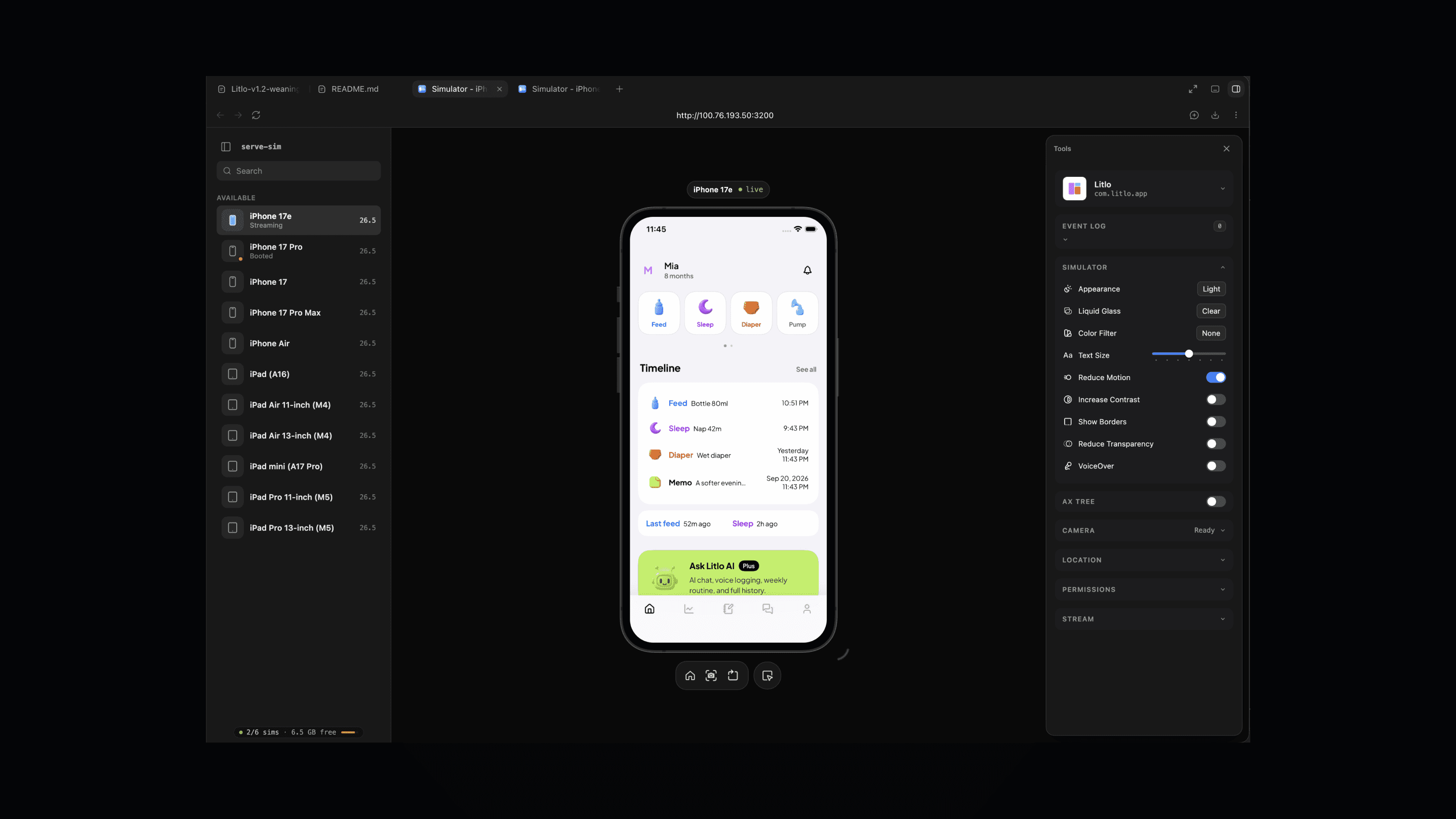
I took Litlo through development and App Store release, including its store presentation. A gift for my sister became an app other parents could use.
I took Litlo through development and App Store release, including its store presentation. A gift for my sister became an app other parents could use.
I took Litlo through development and App Store release, including its store presentation. A gift for my sister became an app other parents could use.

Home brings quick records, a recent timeline, and Litlo AI together. I designed dark mode first for nighttime care, then adapted the same system for light mode.
Home brings quick records, a recent timeline, and Litlo AI together. I designed dark mode first for nighttime care, then adapted the same system for light mode.
Home brings quick records, a recent timeline, and Litlo AI together. I designed dark mode first for nighttime care, then adapted the same system for light mode.

The weekly view brings sleep, feeds, and pumping together. Parents can notice patterns without expecting every day to follow the same schedule.
The weekly view brings sleep, feeds, and pumping together. Parents can notice patterns without expecting every day to follow the same schedule.
The weekly view brings sleep, feeds, and pumping together. Parents can notice patterns without expecting every day to follow the same schedule.

Home Screen widgets keep daily care actions within reach. Parents can choose a child and set recording defaults to fit their routine.
Home Screen widgets keep daily care actions within reach. Parents can choose a child and set recording defaults to fit their routine.
Home Screen widgets keep daily care actions within reach. Parents can choose a child and set recording defaults to fit their routine.

Parents can ask Siri to add a care record when their hands are full. Litlo confirms it with a notification, without needing to reopen the app.
Parents can ask Siri to add a care record when their hands are full. Litlo confirms it with a notification, without needing to reopen the app.
Parents can ask Siri to add a care record when their hands are full. Litlo confirms it with a notification, without needing to reopen the app.

Parents can share recent care records with Litlo AI for more relevant guidance. Record access is optional and controlled in settings.
Parents can share recent care records with Litlo AI for more relevant guidance. Record access is optional and controlled in settings.
Parents can share recent care records with Litlo AI for more relevant guidance. Record access is optional and controlled in settings.

The community feed gives parents a place to share everyday moments. They can also read stories from families at a similar stage.
The community feed gives parents a place to share everyday moments. They can also read stories from families at a similar stage.
The community feed gives parents a place to share everyday moments. They can also read stories from families at a similar stage.

Plus Jakarta Sans, distinct action colors, and 3D icons give Litlo a consistent visual language. Familiar actions remain easy to find in light and dark modes.
Plus Jakarta Sans, distinct action colors, and 3D icons give Litlo a consistent visual language. Familiar actions remain easy to find in light and dark modes.
Plus Jakarta Sans, distinct action colors, and 3D icons give Litlo a consistent visual language. Familiar actions remain easy to find in light and dark modes.